
Manager’s guide
CLOCKINGINNOW
From onboarding a worker to paying the week, with a diagram of every process.
Neuron Electric Corp
Overview
The manager’s cycle in 9 processes
1
Onboarding
2
Schedules
3
Clock-in
4
Review and fix
5
Breaks
6
Approve and pay
7
Offboarding
8
Days off and vacation
9
Notifications
Correct payroll
CLOCKINGINNOW · Manager’s guide
neuronelectriccorp.net
[email protected]
Process 1 of 9
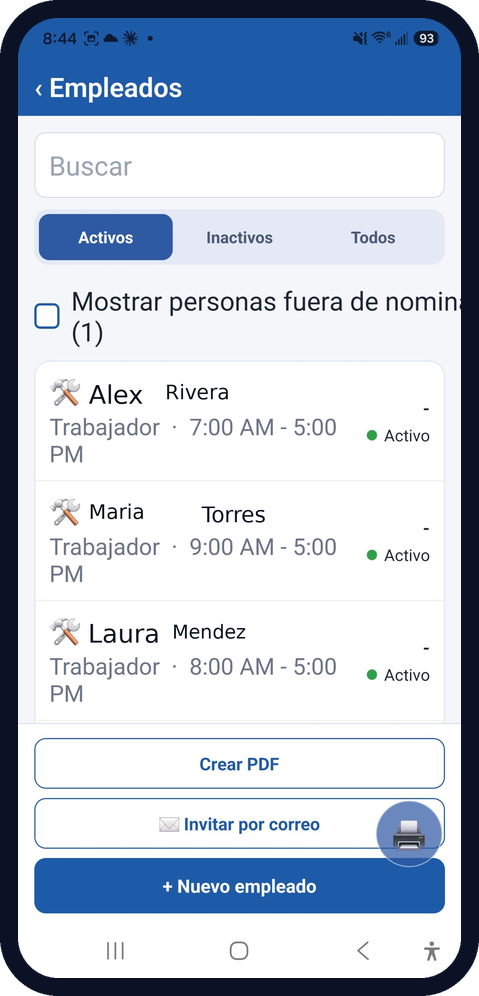
Onboard a worker
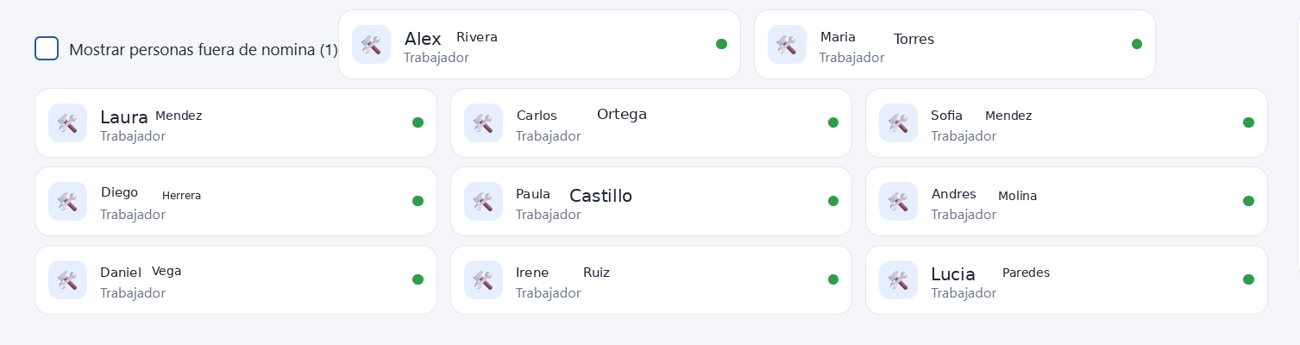
1 · Basics
Name, role and rate.
2 · Base shift
E.g. 7:30 AM to 4:00 PM.
3 · Access
Fingerprint, PIN or card.
4 · Break
The company rule.
CLOCKINGINNOW · Manager’s guide
neuronelectriccorp.net
[email protected]
Diagram 1
Onboarding: who does what
1 · Manager
Creates the worker
2 · Manager
Sets shift and rate
3 · System
Creates app access
4 · Reader
Fingerprint, PIN or card enrolled
5 · System
Appears on the Time Card
Manager
Reader or worker
System
CLOCKINGINNOW · Manager’s guide
neuronelectriccorp.net
[email protected]
CLOCKINGINNOW · Manager’s guide
neuronelectriccorp.net
[email protected]
Process 2 of 9
Schedule the shifts
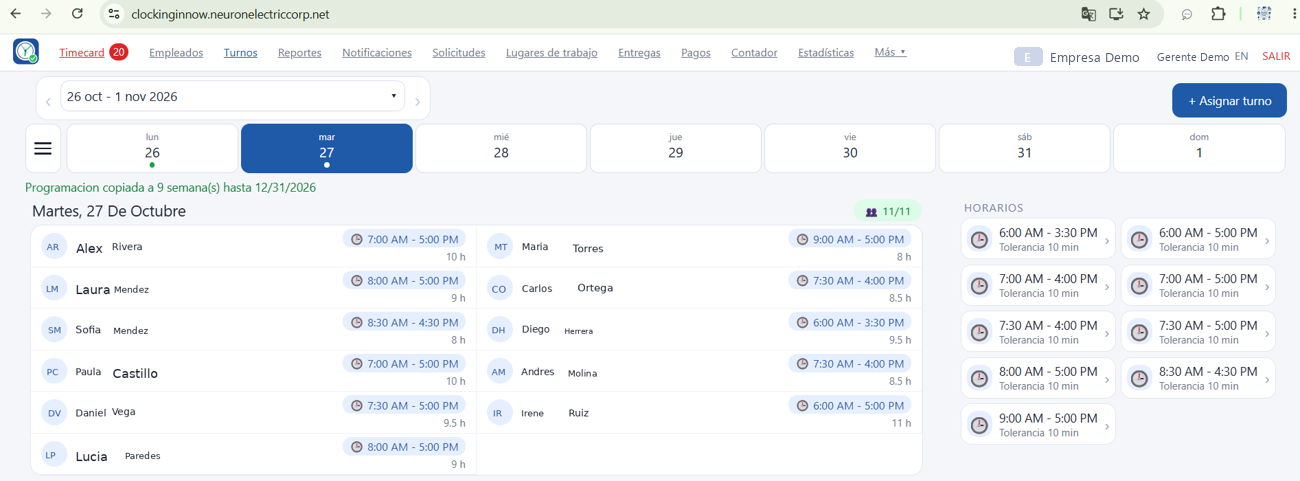
1 · Pick dates
One week or several months.
2 · Pick people
One, several or all.
3 · Set the hours
Start and end, 12-hour.
4 · Confirm
Save and check the Time Card.
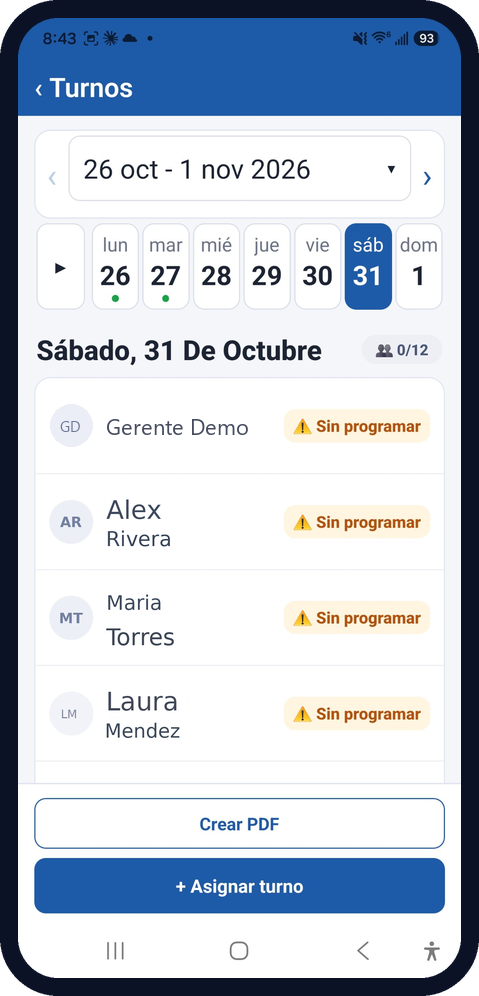
Diagram 2
Schedules: who does what
1 · Manager
Picks dates and people
2 · Manager
Sets the hours
3 · System
Checks hours and conflicts
4 · System
Saves the shifts
5 · Manager
Checks the Time Card
Manager
Reader or worker
System
CLOCKINGINNOW · Manager’s guide
neuronelectriccorp.net
[email protected]
Process 3 of 9
Worker clock-in

1 · Taps at the reader
Card, fingerprint or PIN.
2 · The camera captures the image
3 · Photo and time on the Time Card
1 · Clock in
2 · Break
3 · Clock out
4 · Misses
CLOCKINGINNOW · Manager’s guide
neuronelectriccorp.net
[email protected]
Diagram 3
Clock-in: who does what
1 · Worker
Uses fingerprint, PIN or card
2 · Reader
Validates and sends the event
3 · System
Records time and photo
4 · System
Shows the punch on the Time Card
5 · Manager
Handles alerts and misses

The worker clocks in at the entrance; the manager sees it in the system.
Manager
Reader
System
CLOCKINGINNOW · Manager’s guide
neuronelectriccorp.net
[email protected]
CLOCKINGINNOW · Manager’s guide
neuronelectriccorp.net
[email protected]
Process 4 of 9
Review the Time Card
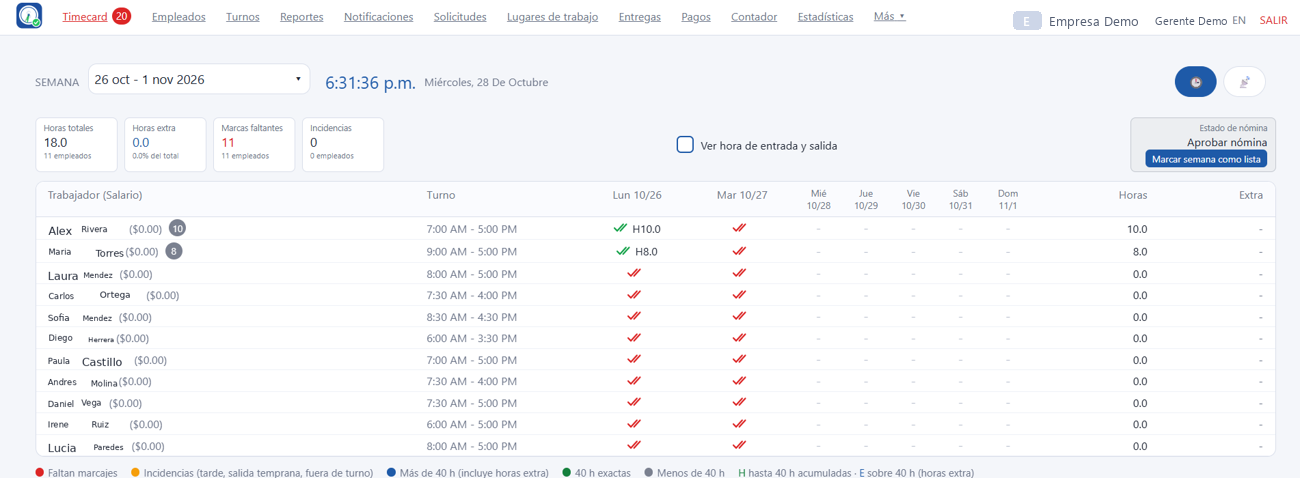
1 · Open the week
See each shift.
2 · Read colors
Green done; red missing.
3 · Fix
Edit with a reason.
4 · Totals
Hours sums the week.
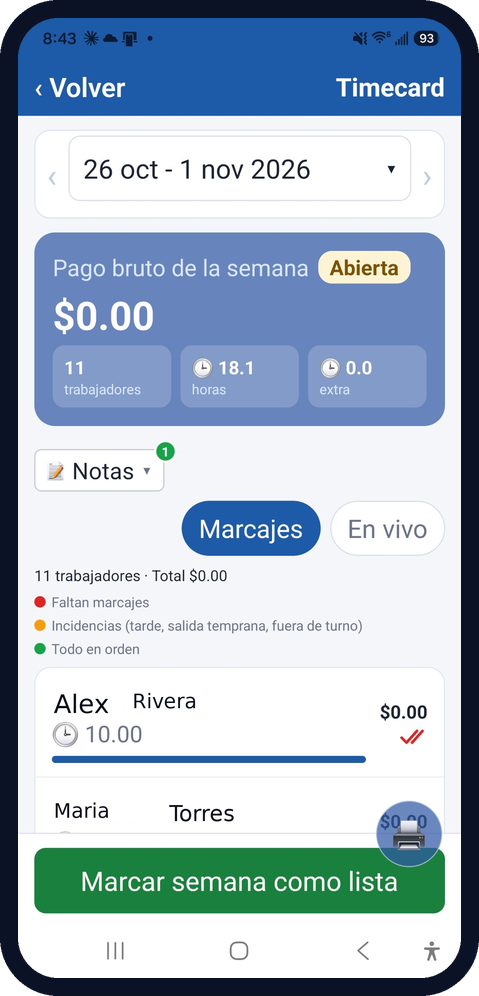
Diagram 4
Time Card: who does what
1 · Manager
Opens the week
2 · System
Computes net hours per day
3 · Manager
Reviews red marks
4 · Manager
Fixes with a reason
5 · System
Recalculates totals
✎ The CEO or manager can edit this punch.
Manager
Reader or worker
System
CLOCKINGINNOW · Manager’s guide
neuronelectriccorp.net
[email protected]
Process 5 of 9
Set up breaks
Set once in company settings; the system applies it every day.
1
Choose the rule
Minutes, automatic or clocked.
2
See the example
7:30 AM to 4:00 PM, 30 min: 8:00 net.
3
Add exceptions
Per worker or position.
4
Check the law
Settings, Laws.
CLOCKINGINNOW · Manager’s guide
neuronelectriccorp.net
[email protected]
Diagram 5
Breaks: who does what
1 · Manager
Sets the rule in settings
2 · System
Deducts the break daily
3 · System
Shows net hours
4 · Manager
Reviews and approves the week
5 · System
Freezes the deduction
Manager
Reader or worker
System
CLOCKINGINNOW · Manager’s guide
neuronelectriccorp.net
[email protected]
CLOCKINGINNOW · Manager’s guide
neuronelectriccorp.net
[email protected]
Process 6 of 9
Approve and pay the week
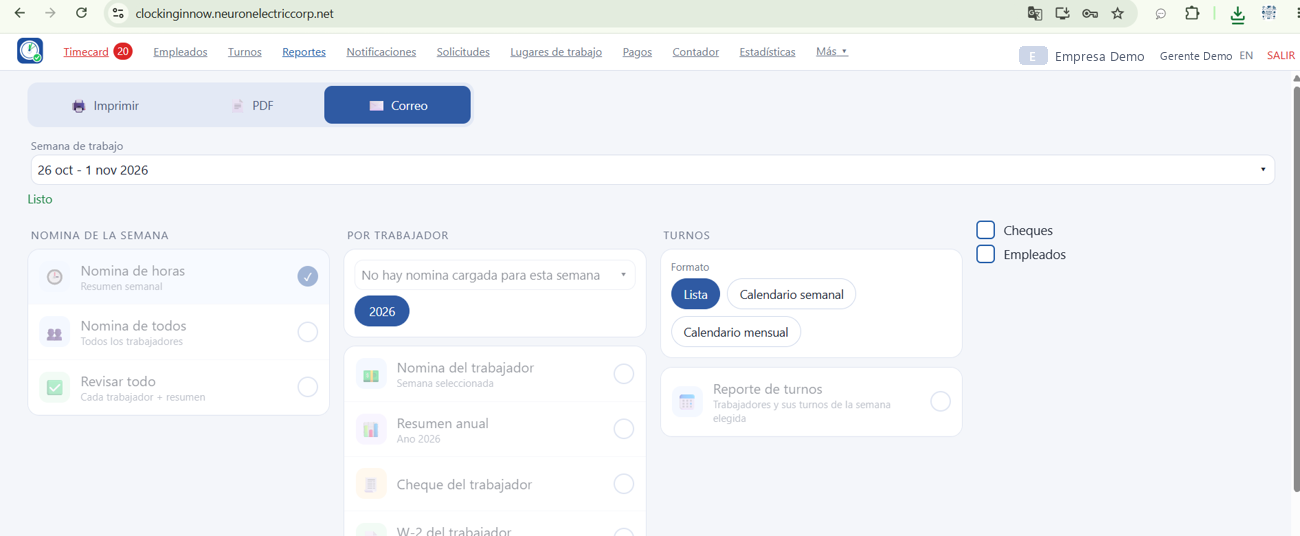
1 · Review hours
Overtime: over 40 net hours.
2 · Approve
The week is closed.
3 · View payroll
Pay per worker.
4 · Mark as paid
Kept in the history.
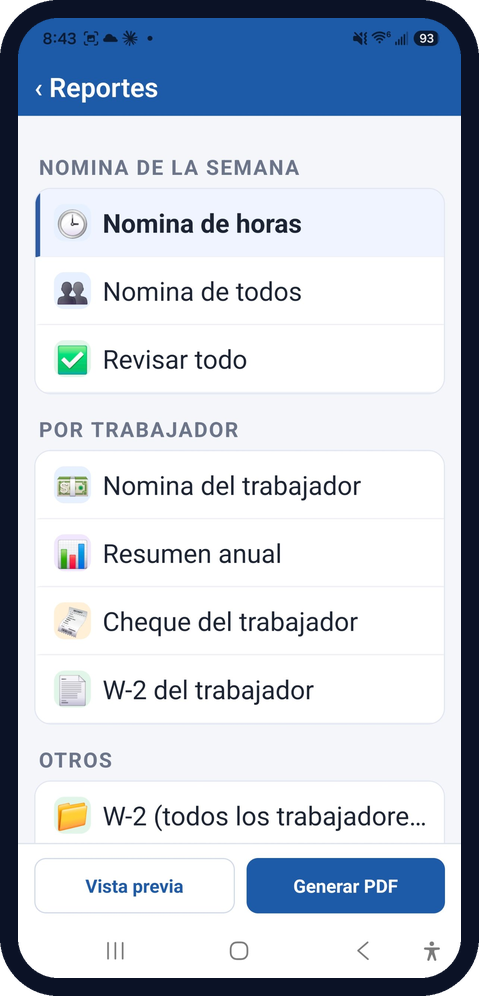
Diagram 6
Approve and pay: who does what
1 · Manager
Reviews hours and overtime
2 · Manager
Approves the week
3 · System
Freezes hours and deductions
4 · System
Computes payroll and overtime
5 · Manager
Pays and marks as paid
Manager
Reader or worker
System
CLOCKINGINNOW · Manager’s guide
neuronelectriccorp.net
[email protected]
Process 7 of 9
Offboard a worker
When someone leaves, access is closed but the history is kept.
1
End date
The last day worked.
2
Future shifts
Later ones are closed.
3
Remove access
App and fingerprint, PIN or card.
4
Off payroll
Hidden; visible on request.
CLOCKINGINNOW · Manager’s guide
neuronelectriccorp.net
[email protected]
Diagram 7
Offboarding: who does what
1 · Manager
Sets the end date
2 · System
Closes future shifts
3 · System
Disables app access
4 · Reader
Fingerprint, PIN or card removed
5 · System
Keeps history; off payroll
Manager
Reader or worker
System
CLOCKINGINNOW · Manager’s guide
neuronelectriccorp.net
[email protected]
CLOCKINGINNOW · Manager’s guide
neuronelectriccorp.net
[email protected]
Process 8 of 9
Days off and vacation
1 · Request
The worker asks for dates and a reason in the app.
2 · Review
It shows in Requests, Pending.
3 · Decide
The manager approves or rejects.
4 · Notify
The worker gets the answer.
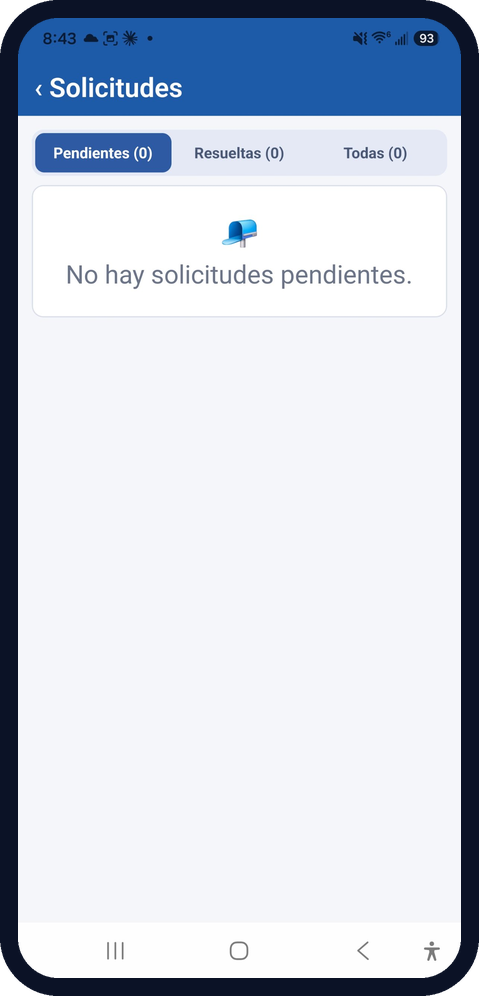
Diagram 8
Days off and vacation: who does what
1 · Worker
Requests days off or vacation in the app
2 · System
Creates the pending request and alerts
3 · Manager
Reviews it in Requests
4 · Manager
Approves or rejects
5 · System
Updates shifts and notifies the worker
Manager
Reader or worker
System
CLOCKINGINNOW · Manager’s guide
neuronelectriccorp.net
[email protected]
CLOCKINGINNOW · Manager’s guide
neuronelectriccorp.net
[email protected]
Process 9 of 9
Notifications
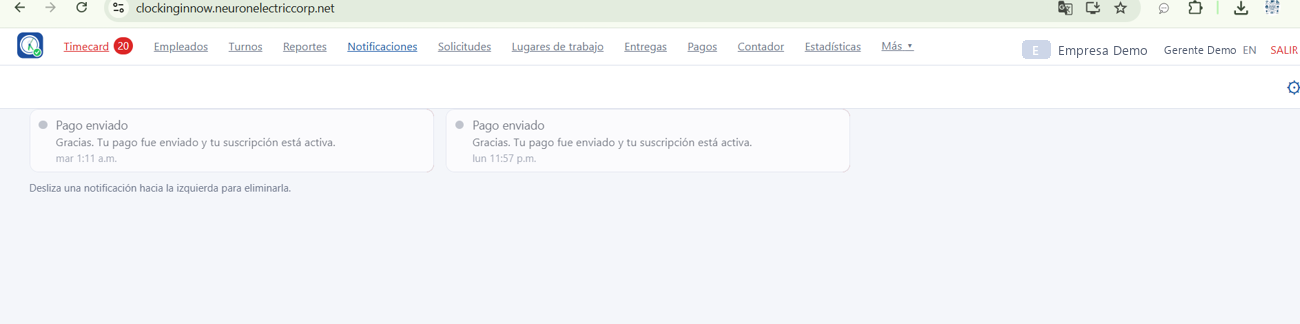
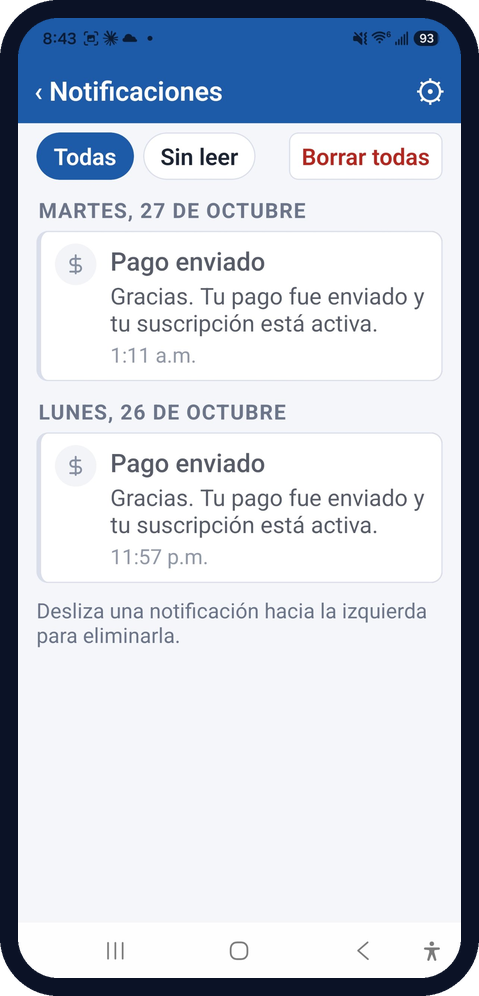
1 · Receive
Payment and request alerts.
2 · Read
Filter: All or Unread.
3 · Clear one
Swipe left.
4 · Clear all
One button.
Investment
Costs
1
Equipment and installation
Main equipment (estimated prices)
Access reader
$280
Hubs
$180
Cloud
$280
Cards (10)
$60
Supplies
$210
Est. total
$1,010
Note: labor is estimated by the number of readers installed.
One-time; install quoted
2
Subscriptions and maintenance
Plan A: $20/mo · 1 reader · annual $216
Plan B: $100/mo · 4 readers · annual $1,080
Plan C: $250/mo · 8 readers · annual $2,700
Maintenance: USD 250
Monthly or annual (annual: 10% off)
3
Customer training
Manager session: shifts, Time Card and approval.
How workers clock in.
This guide as handout.
USD 250, one time
CLOCKINGINNOW · Manager’s guide
neuronelectriccorp.net
[email protected]
To remember
Cuatro reglas clave
Four key rules
1
Monday-to-Sunday week
2
10-minute grace
3
Overtime after 40 net hours
4
Approving freezes the week
CLOCKINGINNOW · Manager’s guide
neuronelectriccorp.net
[email protected]